> For the complete documentation index, see [llms.txt](https://messagebird.gitbook.io/toky-en/llms.txt). Markdown versions of documentation pages are available by appending `.md` to page URLs; this page is available as [Markdown](https://messagebird.gitbook.io/toky-en/integrationstokyapp/how-to-enable-toky-for-zoho-phonebridge.md).
# How to enable Toky for Zoho Phonebridge
Enable your Toky for Zoho Phonebridge integration and start making and receiving voice calls from Zoho CRM
To enable this integration you must have:
* A paid Toky account
* A paid Zoho account
* An user with Admin privileges in Toky and Zoho
### Enabling Toky Phonebridge integration
1. Go to the [**Zoho Phonebridge integration**](https://app.toky.co/business/tools/zoho/phonebridge) section
\
**2.** Click on **Connect**\
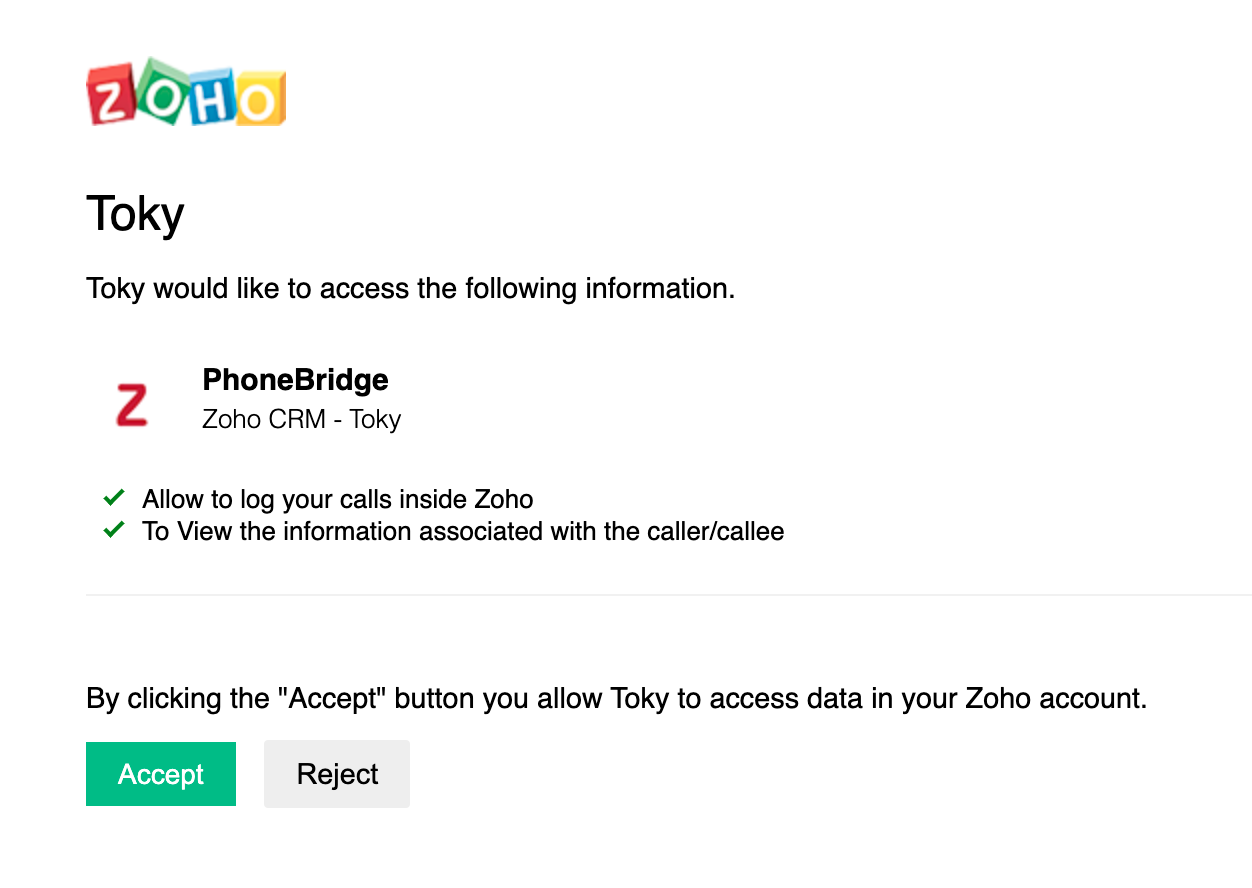
**3.** The authorization page from Zoho is loaded and you must click on **Accept**
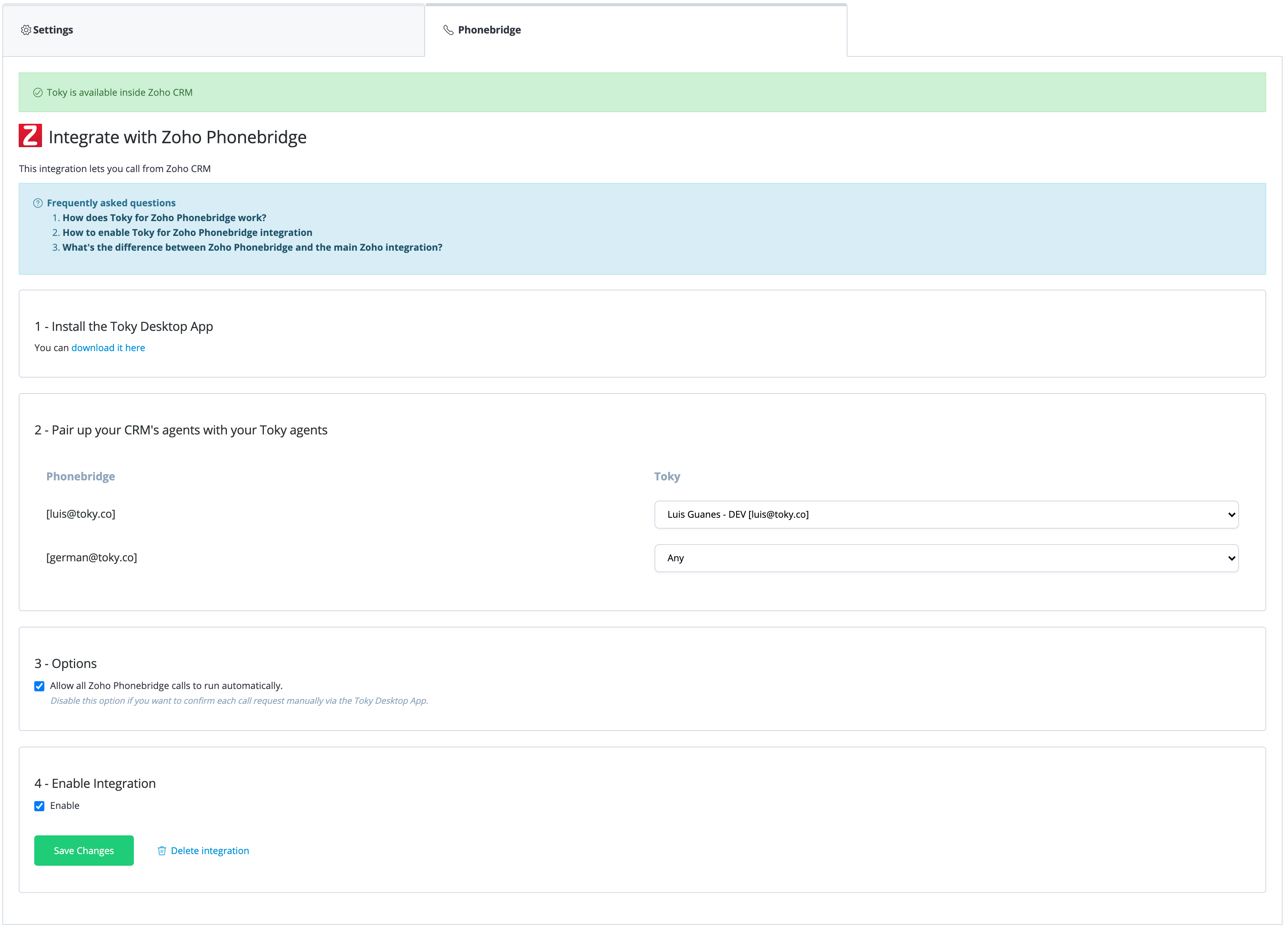
**4.** Now you must assign Toky agents to the corresponding Zoho agents and make sure the **Enabled** option is checked. Click on **Save Changes**