> For the complete documentation index, see [llms.txt](https://messagebird.gitbook.io/toky-en/llms.txt). Markdown versions of documentation pages are available by appending `.md` to page URLs; this page is available as [Markdown](https://messagebird.gitbook.io/toky-en/how-to-guidestokyapp/change-your-caller-id.md).
# Change your Caller ID
If your have clients worldwide and want to make a call. You can change your ID caller. So you will be able to call them from the number you want with the local cost.
\
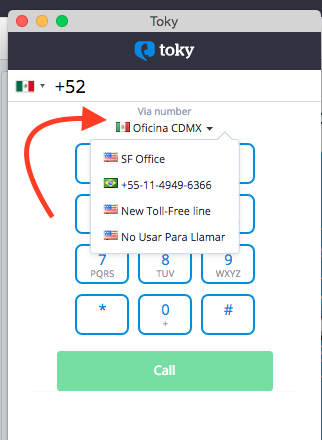
Go to your [Toky Dashboard](https://app.toky.co/business/dashboard) and *click* on **Phone Call** or *click* on your [Toky's Chrome Extension](https://app.toky.co/business/tools/click-to-call) dialer.
\
Once the dialer appears. **Click** on **Via Number** and you will have all the options.\
***(The numbers that you have)***
***You will make the call from the number or office you choose.***